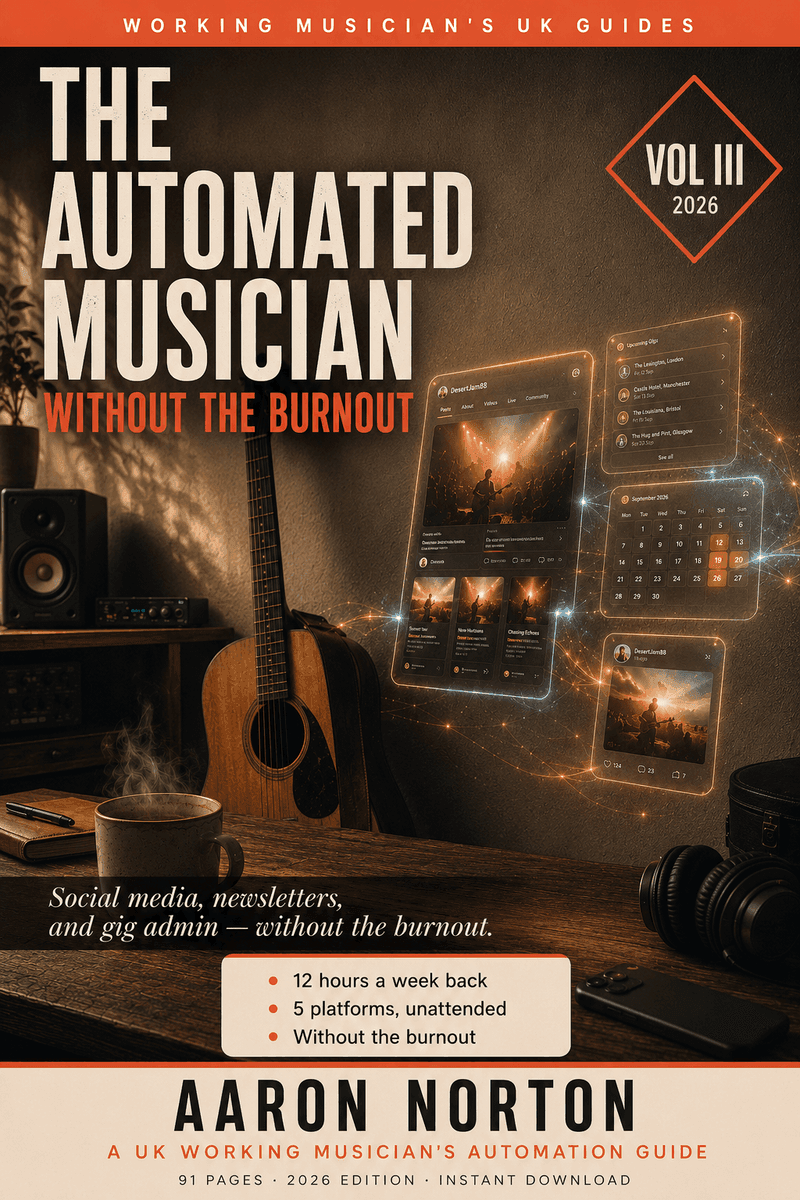

How to Automate Your Music Promotion — Without Losing the Human Bit
I'm a full-time acoustic musician. I write the songs, play the gigs, drive home at midnight — and then I'm somehow also meant to be a social-media manager, a newsletter editor, a graphic designer and an admin assistant. For years the playing was maybe five percent of the week and the rest was captions, reformatting the same poster five ways, and a mailing list I kept meaning to email. I'd post in the car park at 11pm because I wanted it up before midnight. I had nothing left for the songs.
So I built an engine. Enter a gig once in my calendar, and it generates the posters, writes the drafts, and posts to every platform on its own — for the rest of my career, with no per-post prep ever again. It returns 12–15 hours a week. But here's the line the whole thing hangs on, and the bit every "automate your socials" guide misses: automate the announcing, hand-make the relationships. The boring 90% — gig announcements, the weekly carousel, the monthly calendar — runs itself. The human 10% — the voice note from the car before a gig, the reply to a fan about a lyric — stays unmistakably you. That's not a smaller version of you online. It's a bigger one. (Platform rules and tools move fast — anything dated below is a mid-2026 snapshot; check current before you build.)
A scheduler queues posts. An engine runs your whole operation.
Every "automate social media for musicians" article points you at a scheduler — Buffer, Later, Hootsuite. They're fine tools, but be clear about what they actually do: a scheduler lets you prepare five posts and queue them in advance. You still make every post. You still reformat every image. You've just moved the work to Sunday night.
An engine is a different thing. It doesn't hold a queue of posts you made — it reads a source of truth (your gig calendar) and generates and posts on its own, forever, with nothing prepared ahead. One is a queue you keep filling. The other is a system that runs. That distinction is the whole book, and it's why a musician with an engine spends twenty minutes a week on social while posting more reliably than one grinding an hour a day into a scheduler.
Your gig calendar is the source of truth
Here's the single most important idea: your Google Calendar of gigs is the spine of your entire content operation. Everything that goes out — daily gig stories, the weekly carousel, the monthly grid, the newsletter's gig list, your website's "next gig" — is generated from one entry per gig in one calendar.
Why a calendar and not a spreadsheet? You already keep it (it's the one tool you can't gig without); it answers "what's on today / this week / this month" natively; the Google Calendar API is free, stable and generous; and it works offline in a venue with bad WiFi. When you take a booking, the only thing you do is add the event — venue as the title, full address as the location, set times and fee in the description. Everything downstream reads from there. You write in one place and never sync anything by hand again. (One hard-won rule: keep a separate private calendar for personal appointments, because anything on the gigs calendar will get posted — yes, the "Today: email the accountant!" story is in the book.)
How to auto-post to Instagram (the right way)
You can absolutely auto-post to Instagram — but the way most people do it is the way that gets them caught. The rule: read the source of truth at post-time; never schedule hardcoded text ahead. If you queue "what a great gig last night!" on Friday and the gig gets cancelled at 6pm, the post still goes out Saturday morning and the regulars who knew you weren't there are looking at a ghost gig. Every automation in the book reads the calendar live on the morning of the post, so it only ever posts what's actually true. The build itself (a small script reading the calendar at 7am and calling the Instagram API) is in the book, with a no-code version for non-coders.
Cross-posting: one post, every platform
The mechanical win that saves the most reformatting: one Instagram Business post can fan out to Facebook and Threads in a single call. Make the content once, post once, and three platforms are covered — no reformatting square-to-portrait-to-story five times over. YouTube is the one platform worth a separate pipeline (its own auth, its own upload), and it's worth building because that's where the effort compounds longest. The book walks the whole cross-post chain platform by platform, and what each one allows in 2026.
You're the operations director. AI is your crew
A signed artist has a manager, an assistant, a social person and a newsletter editor. You can't afford that staff — but AI fills every one of those roles, if you direct it. Claude (or ChatGPT) drafts the Sunday newsletter and debugs the scheduler at 11pm; the calendar is the assistant who never forgets; a render template is the designer who turns variables into a branded poster; your mailer is the postal worker who sends every Sunday at 5pm; the platform APIs are the regional reps. You bring the vision, the voice, the relationships and the actual music; AI handles the mechanics that were stealing your Tuesday afternoons. A vague brief gets a vague caption; a clear brief gets a clear one. You don't have to be a developer — you have to know what you want and be able to say it. (And note: AI isn't even required at runtime — the posting is just a cron job plus an API. AI helps you build it and draft the words. Be precise about which is which, especially when something breaks.)
What to post, and how often (without the burnout)
The honest answer the course-sellers won't give you: less than the gurus tell you, more than you currently fear. "Post three times a day across every platform" is the single biggest driver of musician burnout, and it's how you end up with nothing left for the songs. What actually works is a steady, calendar-driven cadence plus a few theme days that auto-fill from your own libraries — a Throwback Thursday photo from the archive, a Fun Fact Friday slide, a Tag-Chat Tuesday question — so the announcing layer runs without you, and you spend your energy on the one or two genuinely human posts a week that actually make people follow you. The book has the full weekly cadence and the content seed list; the principle is a system, not a scramble for ideas every morning.
How to promote your music without being annoying
Searching for this is the right instinct — and the answer isn't a clever caption formula. The reason most musicians come across as spammy is that they're doing all their promo by hand and under pressure, so it's either too much (drowning followers in the same release five times) or too robotic (every caption opens "Excited to share…"). The fix is structural: automate the boring announcing so the genuinely human stuff has room to be human. A 30-second voice note from the car before a gig will out-perform a week of polished announcements — not because it's slick, but because it's identifiably one human's actual evening. You can only make those when you're not exhausted from reformatting posters. Automate the 90% so you can do the 10% properly, and never, ever let AI write in your voice. That's how you stop being annoying.
What you must NEVER automate
The shortest, most important chapter in the book, and the line the whole thing depends on: the relationship moat is the only moat you have. Algorithms change, platforms die, but the fans who'll come to a gig because it's you are the only durable asset in a working musician's life. So this list never gets automated, ever:
- DMs and comment replies — if a human typed it to you, a human (you) replies. People can smell an LLM reply instantly, and the cost isn't disappointment, it's silence.
- "Thanks for coming" messages, birthday wishes, condolences — anything emotionally weighted. Better to forget than to fake.
- The handwritten note to the venue manager — pen, paper, stamp. Two of my regular residencies came directly from a card after the first gig, because nobody does that any more.
- Replies to fans about your lyrics — the best twenty minutes I spend each month.
The point of automation isn't to scale up your presence. It's to scale down your admin so you can scale up your humanity. Use it to fire 200 templated DMs a week and you've built the opposite of what this book teaches.
The newsletter: the one channel you actually own
Every other channel is rented from an algorithm. Your email list is yours. A weekly letter — mine's The Soundcheck, Sundays at 5pm — is the one "send" that lands directly in a fan's inbox, and the open rate doesn't lie the way reach does. The discipline that makes it sustainable: automate the send (a timer), never the content (your hand). AI can draft it from your week's notes on Sunday afternoon; you spend fifteen minutes making it sound like you, and the timer sends it. The book has the whole newsletter workflow, including the manual fallback for the weeks the mailer's API throws a wobbly.
Best platform for musicians? Record your gigs for YouTube
One contrarian opinion the book sits under: for a working musician, YouTube is the best platform. Its content has the longest shelf life — a gig video posted today is discoverable for years, where an Instagram post is gone in a day. The audience listens instead of scrolling past muted. And you already record your gigs: a phone on a tripod at the back, and one night becomes a year of content once AI clips the footage into Shorts (a tool I built, LiftShot, does exactly that clipping). Build the separate YouTube pipeline — it's where slow, accumulated effort compounds most.
Best scheduler, or build the engine?
If you just want to queue a handful of posts a week, an off-the-shelf scheduler (Later for Stories, Buffer for multi-platform, Hootsuite if you've a team) is genuinely fine, and the book's no-code path uses one. But understand what you're buying: a scheduler still needs you to make every post. The engine this book builds makes them for you, from your calendar, indefinitely. The honest recommendation: start no-code to prove the cadence, then graduate the repetitive pieces (the gig story, the cross-post) to the calendar-driven engine when you're ready to stop prepping posts forever. (Tool names and pricing shift — check current before you commit.)
Will my fans notice it's automated?
No — if you do it right; yes, instantly, if you do it wrong. The three tells that give it away: AI-written text in your voice (every fan clocks "Excited to share!" in three seconds), posts that don't match your actual life (the ghost gig), and AI-generated images of "you" performing (just don't). Avoid those three and your followers won't notice anything except that you're suddenly more reliable about gigs and your captions still sound like you. Which is the whole goal — and the rest of the toolkit is ready for the music those reclaimed hours go into: write it with the Songwriter's AI Toolkit, demo it with Suno, record it with the Recording Manual, and give it a music video.